Dead Load
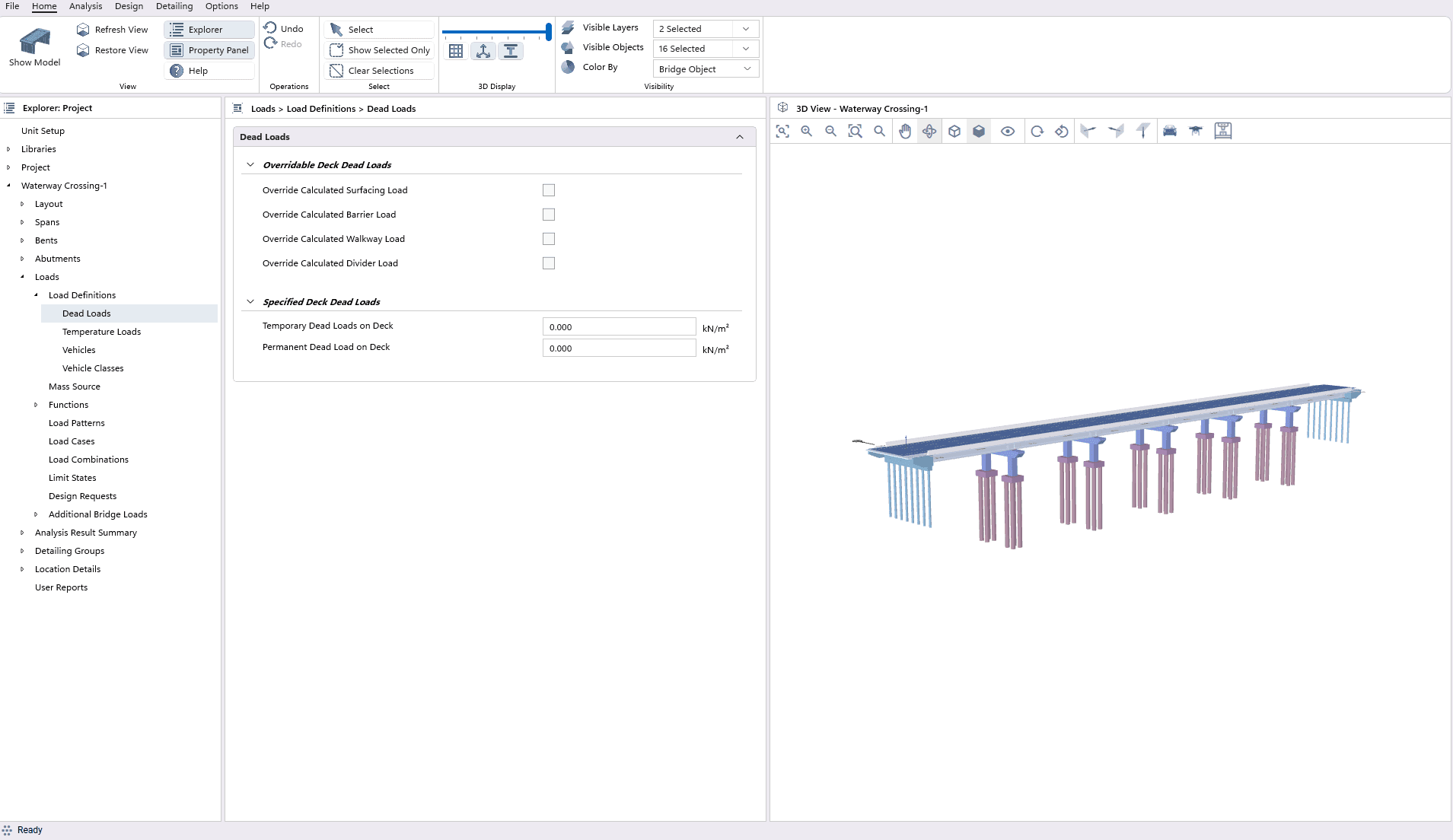
CSiBridge Express automatically calculates component weights based on geometry and material density.
- Self-Weight
- Automatic Weight Calculation
- Override program calculated DL
Temperature Loads
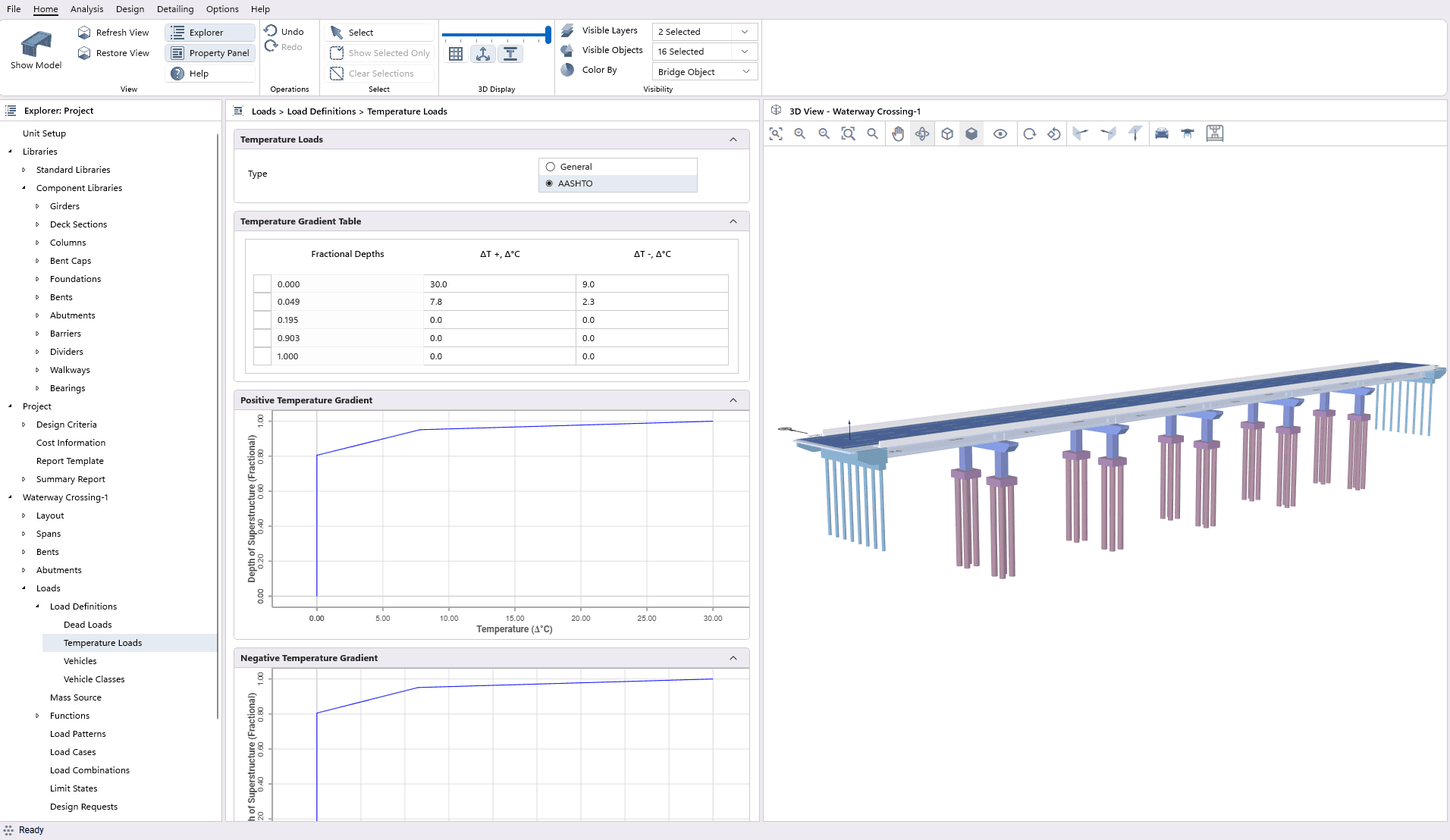
CSiBridge Express applies temperature effects according to AASHTO provisions or user defiend.
- Temperature Gradient Table
- Positive Temperature Gradient
- Neagtive Temperature Gradient
Vehicle Loads
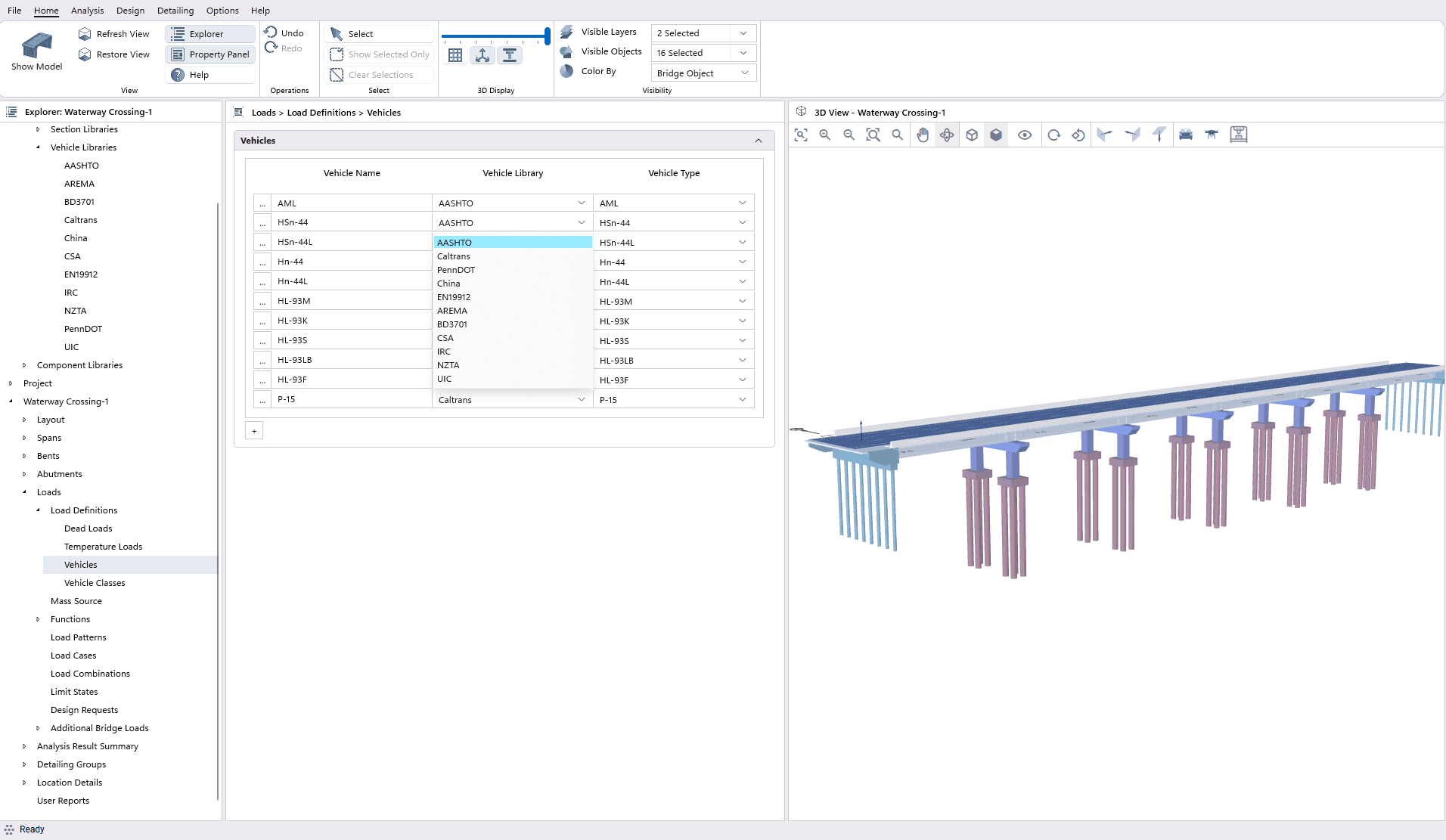
CSiBridge Express provides a list of predefined vehicles in the Vehicle Library section. Here, users can select specific vehicle types categorized according to various standards.
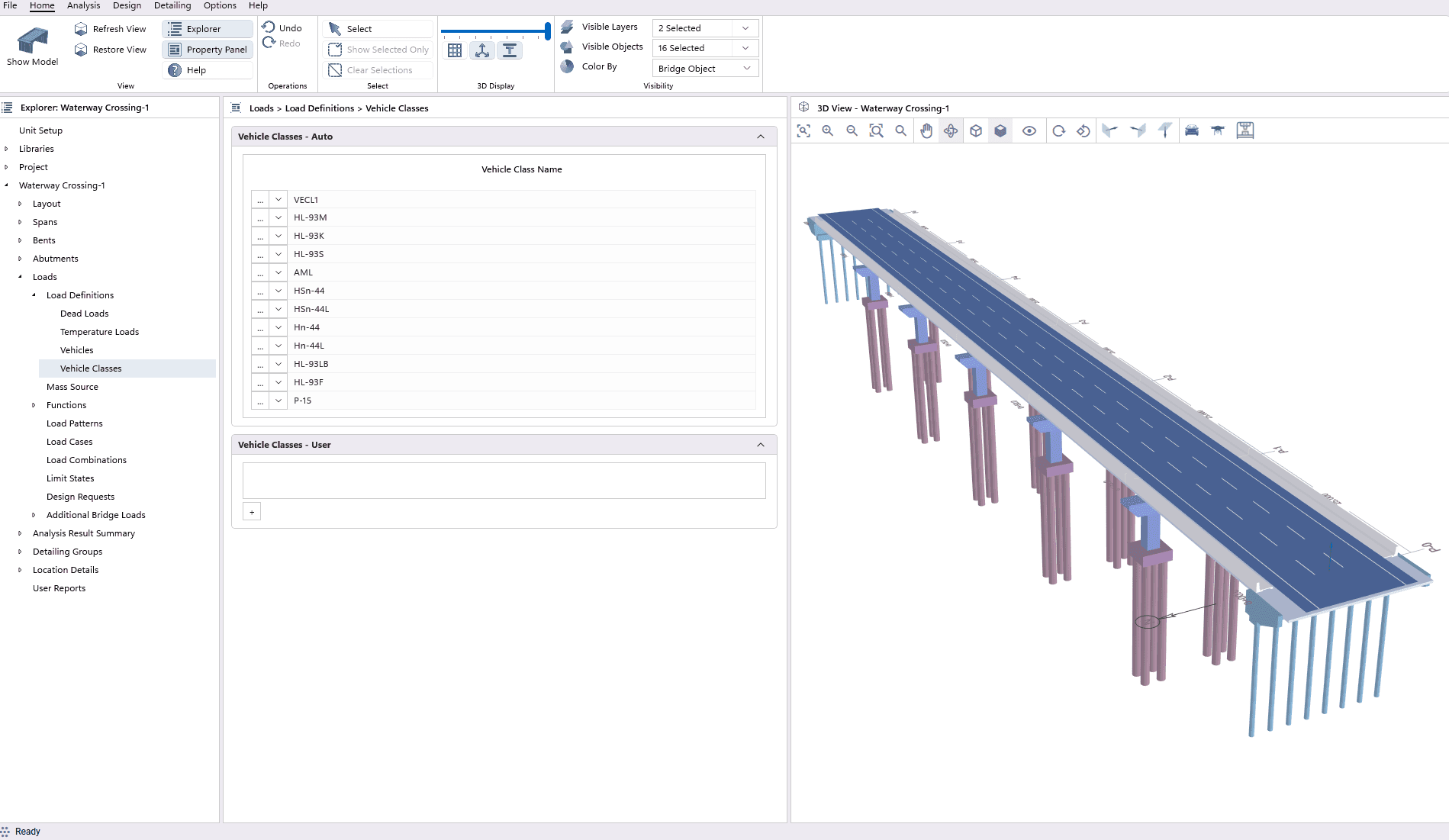
Vehicle Classes
CSiBridge Express not only auto-generates a list of vehicle classes but also allows users to define new classes easily. Users can select vehicle combinations from the list and specify the scale factor for each vehicle. These defined vehicle classes are then utilized to define moving load cases.
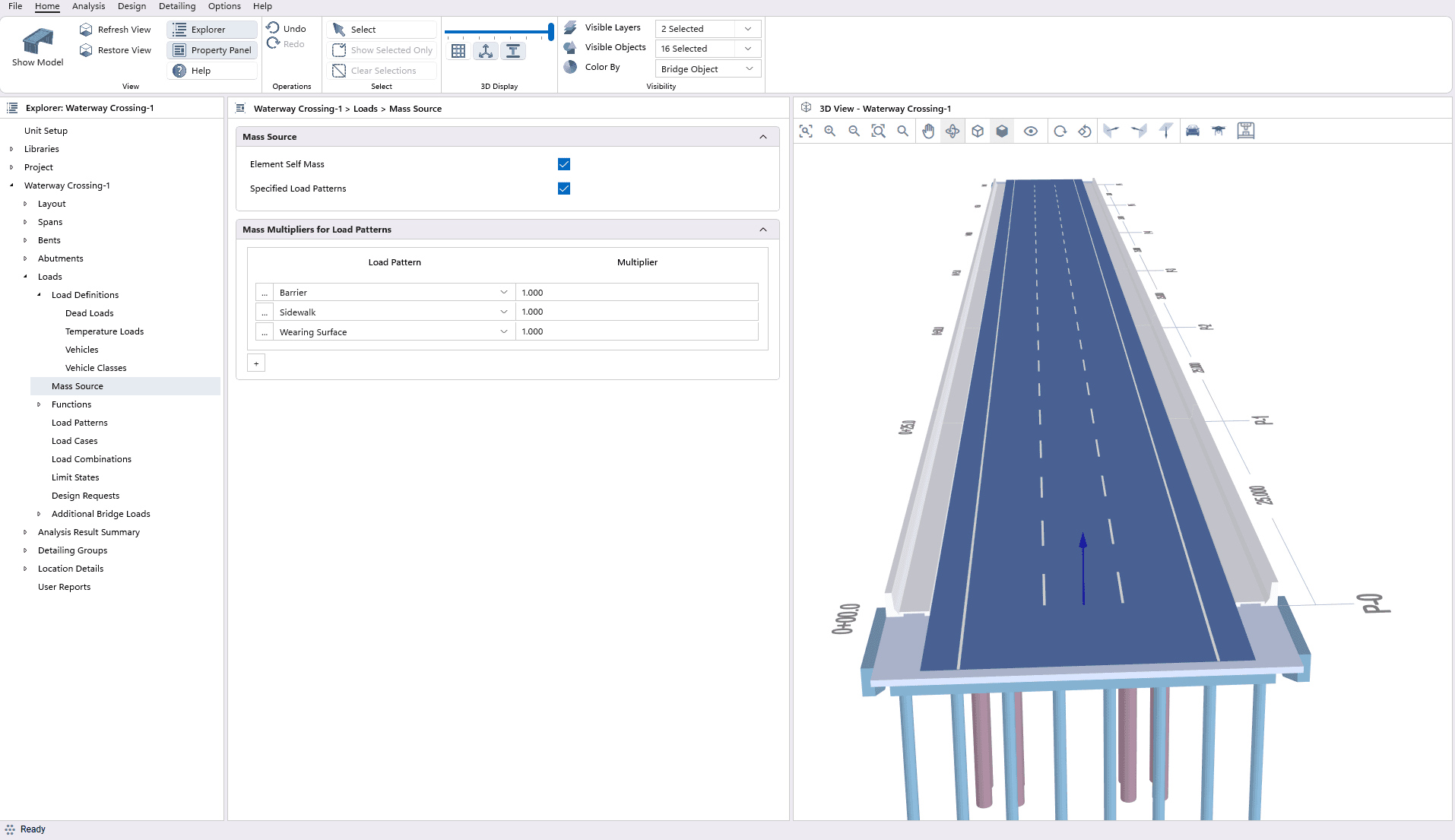
Mass Source
CSiBridge Express, through an intuitive interface, users can easily define mass sources using a table. Within this table, the user can select the desired load pattern and specify the corresponding mass multiplier. Additionally, the user has the flexibility to choose whether to include or exclude element self-mass.
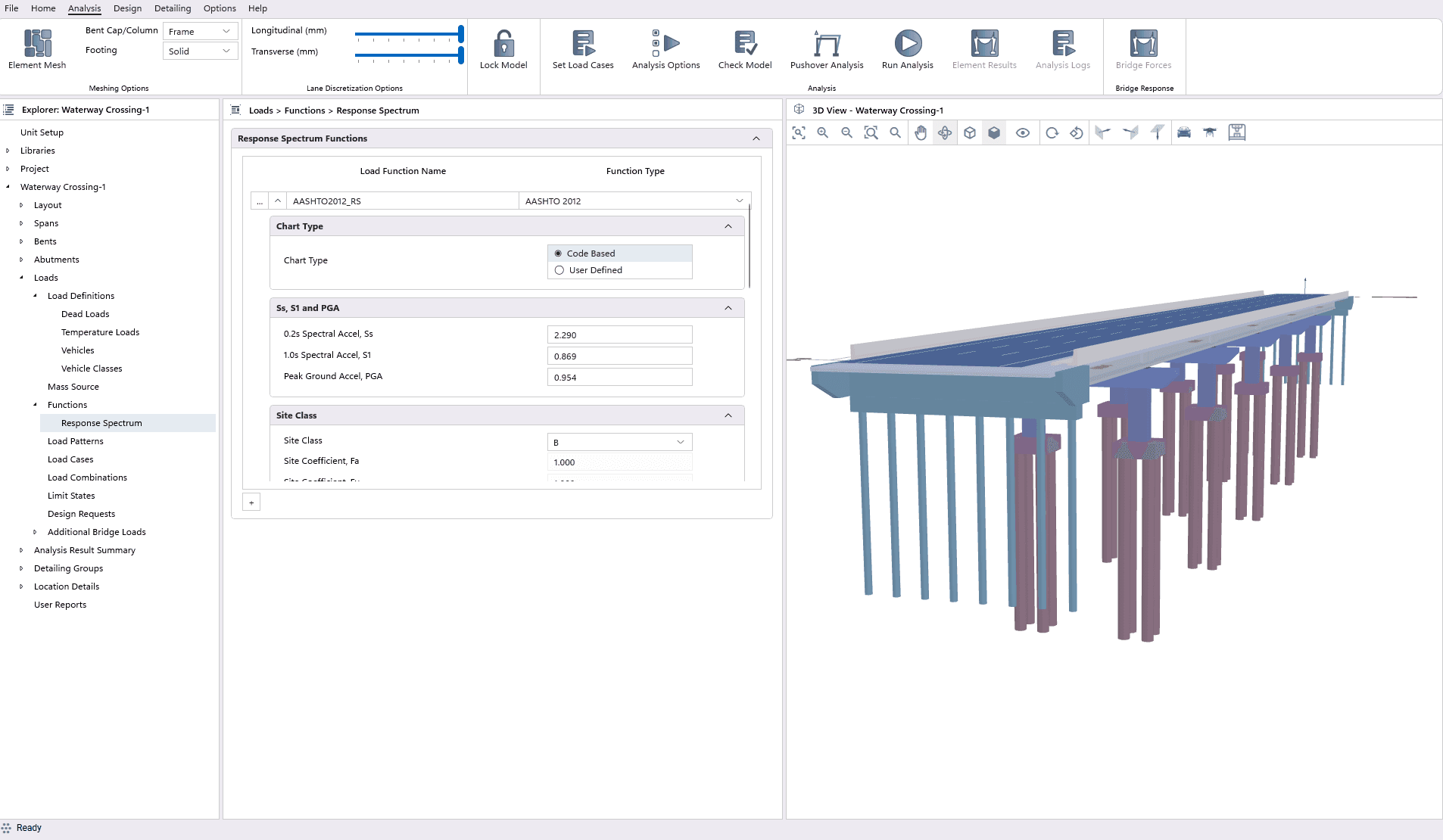
Response Spectrum
CSiBridge Express uses pseudo-spectral acceleration versus period functions to determine maximum expected bridge responses during seismic events.Users can choose the chart type as either code-based or user-defined.
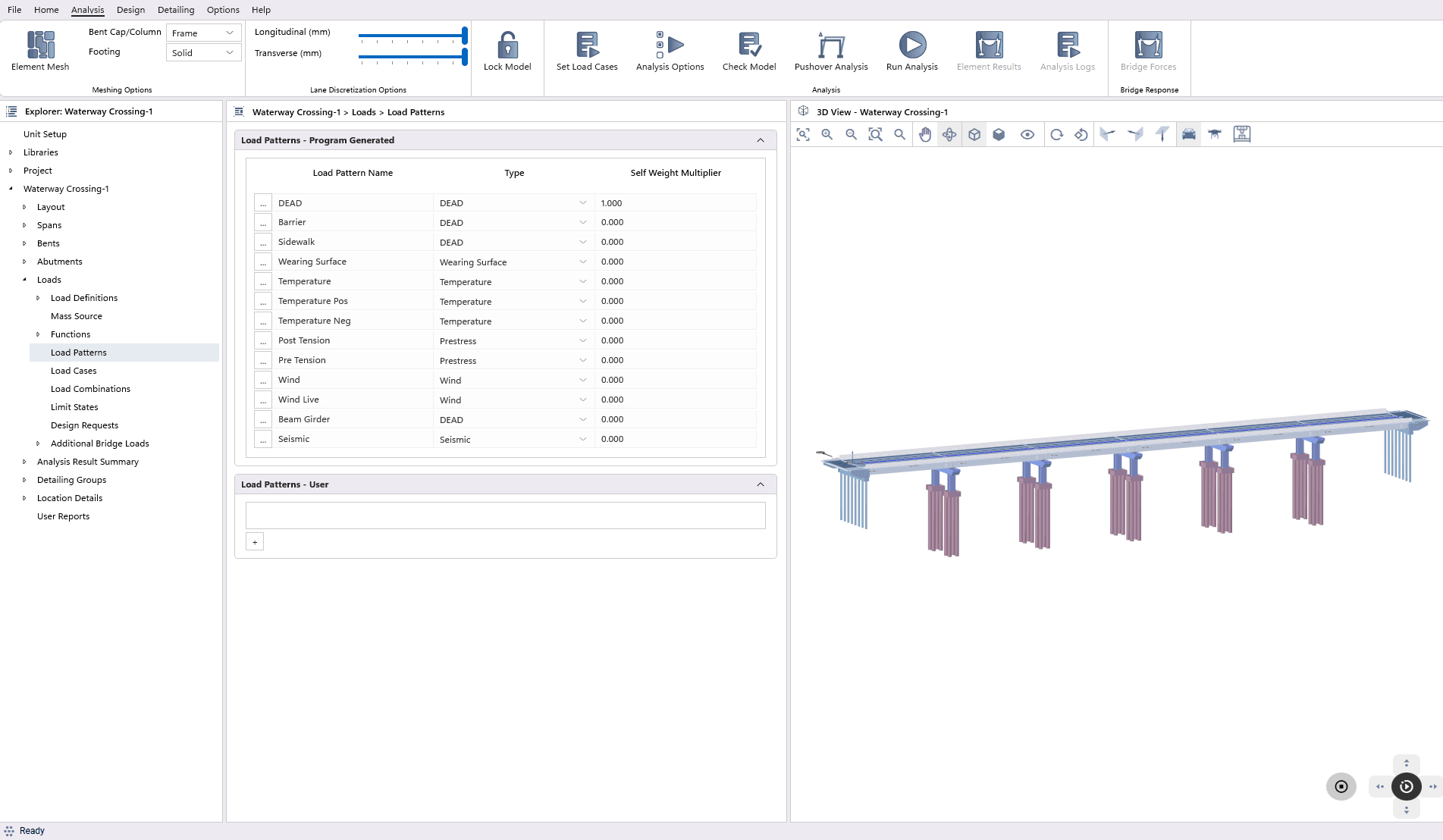
Load Patterns
CSiBridge Express auto-generates essential load patterns while providing flexibility for users to create custom patterns for comprehensive structural analysis.The user can assign specific load pattern name, type and self-weight multiplier within that pattern.
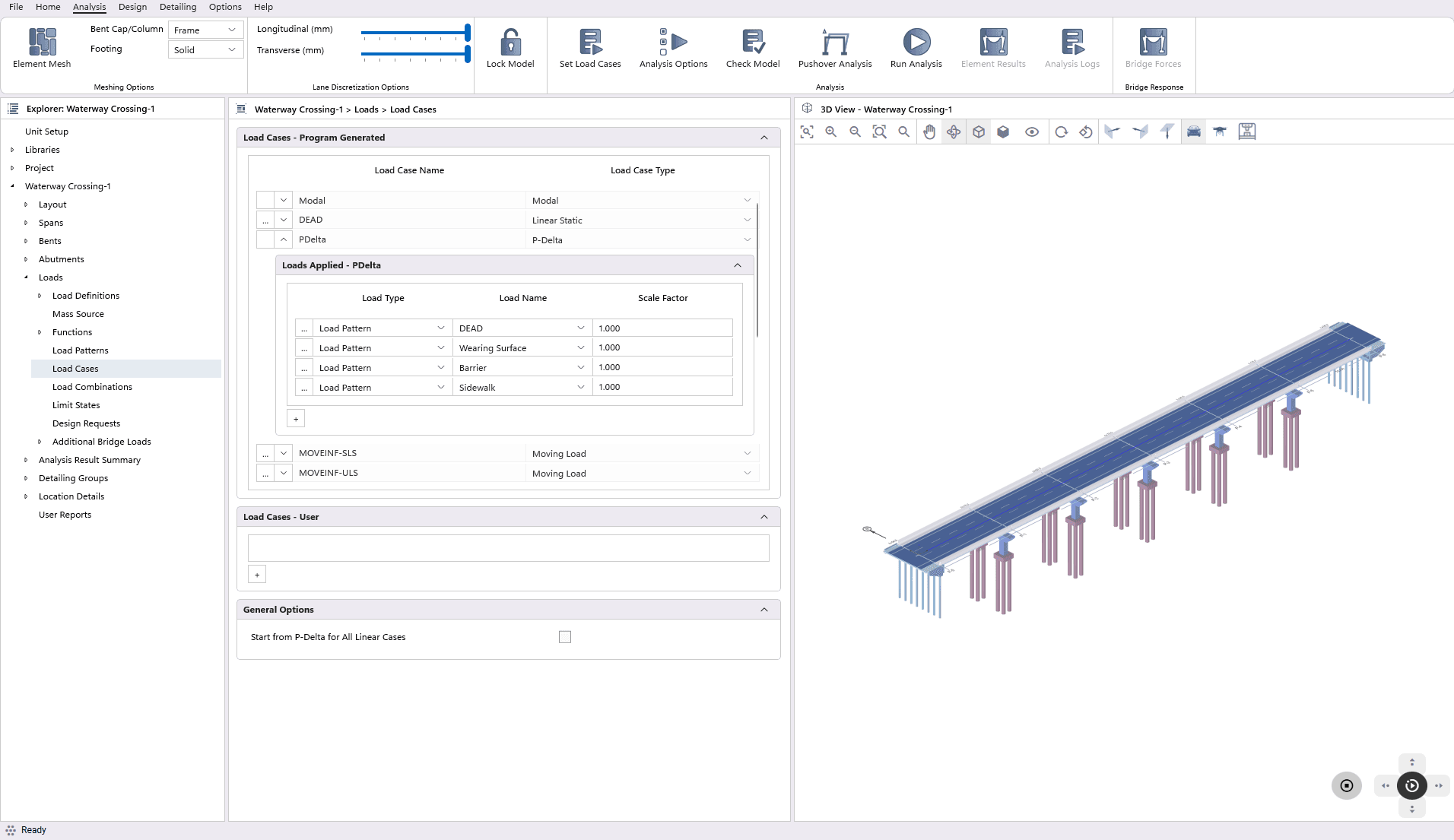
Load Cases
CSiBridge Express auto-generates essential load cases, including Modal, Dead Load, Moving Load, P-Delta etc. based on load pattern. The user has the flexibility to modify these predefined load cases by expanding each case, revealing the customizable options below. .
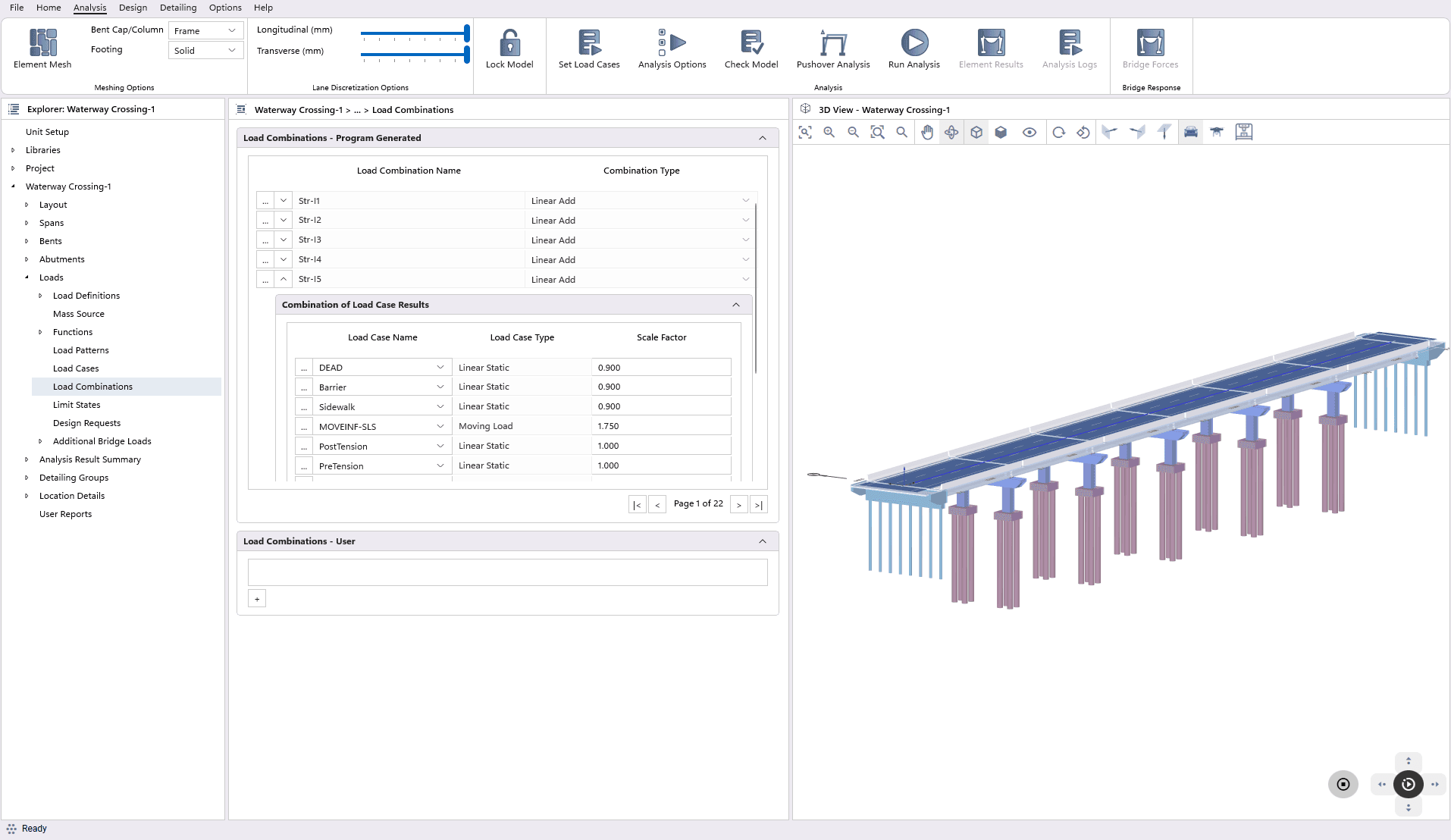
Load Combinations
The program automatically generates serviceability and strength limit states in accordance with the selected design code. Each limit state is associated with a set of load combinations. Additionally, users have the option to create a new limit state or duplicate a pre-defined one, creating a copy in the user-defined section for further customization.
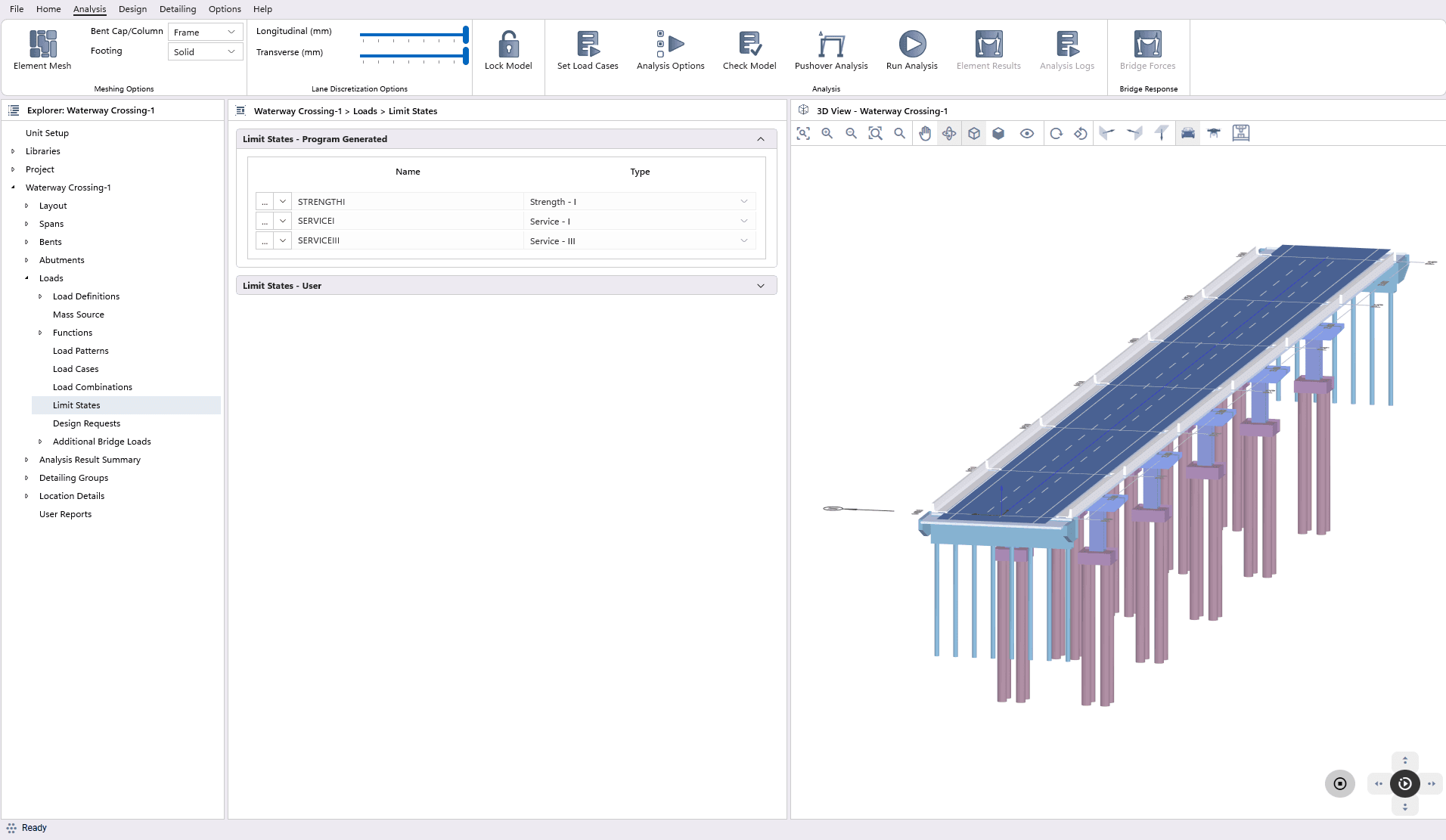
Limit States
The program automatically generates serviceability and strength limit states in accordance with the selected design code. Each limit state is associated with a set of load combinations. Additionally, users have the option to create a new limit state or duplicate a pre-defined one, creating a copy in the user-defined section for further customization.
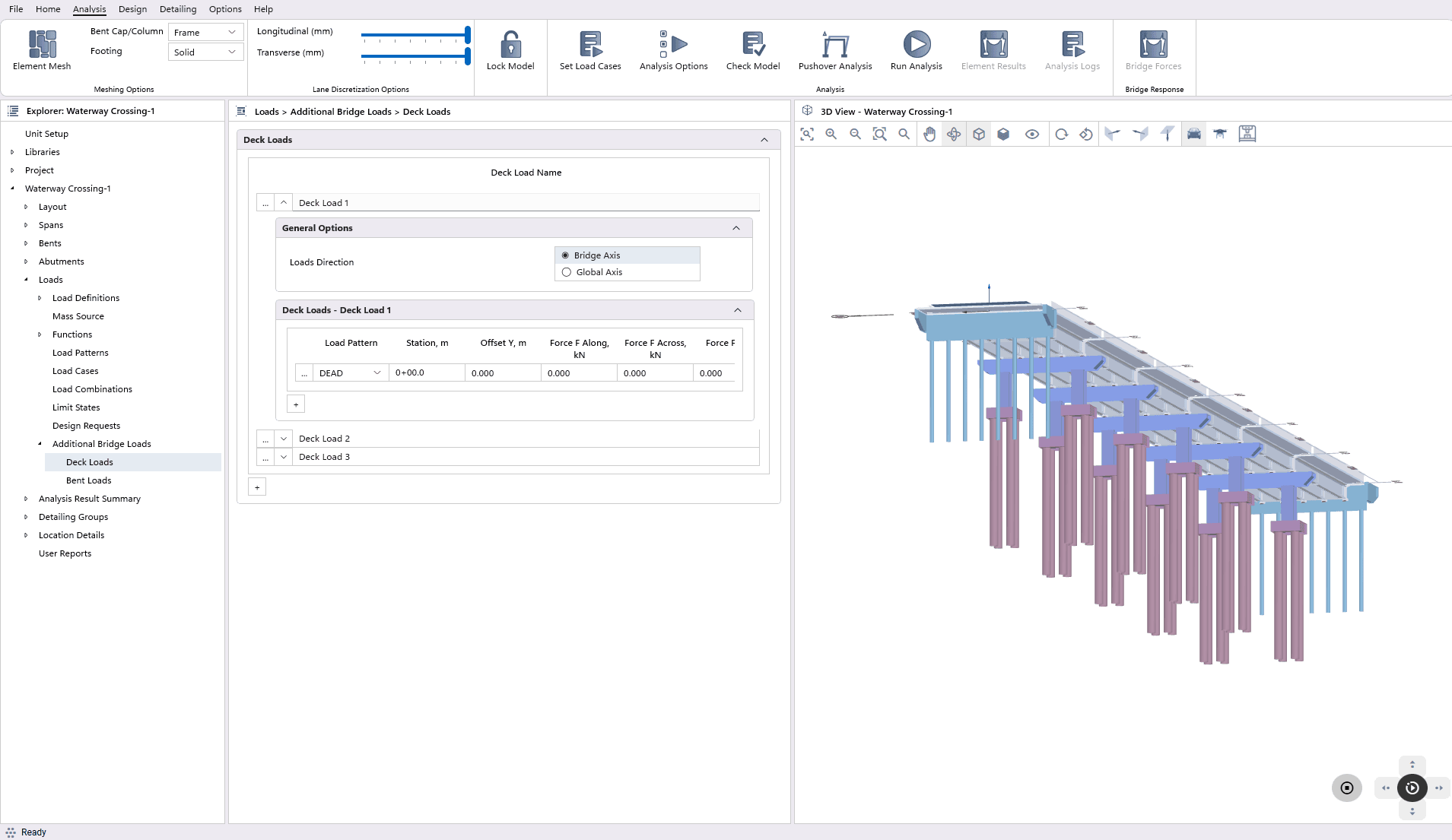
Additional Bridge Loads
This feature allows users to add additional loads directly on the bridge deck and bent, supplementing the program auto-computed loads.
Finite Element Mesh Viewer
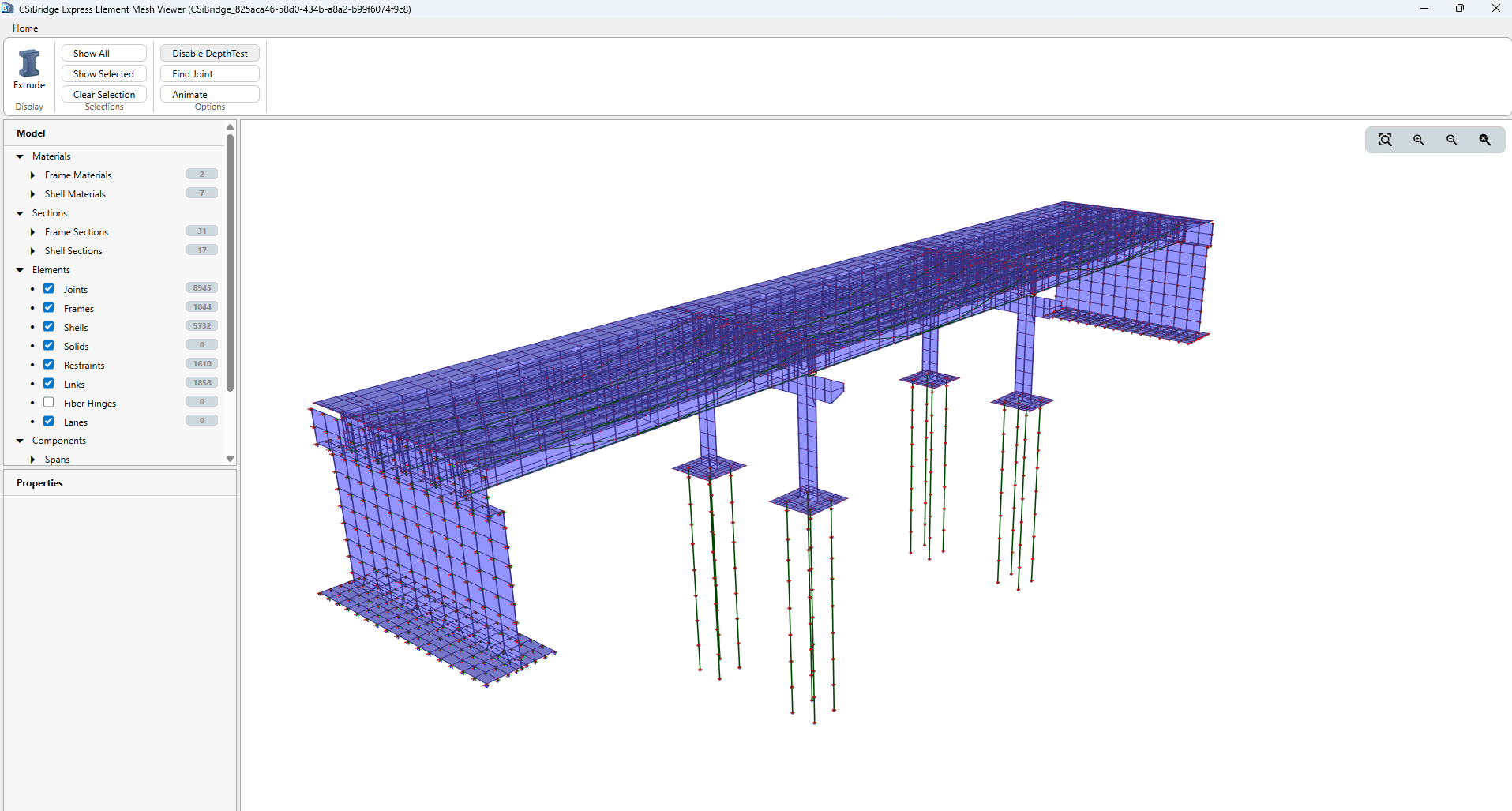
The Interactive Finite Element Mesh Viewer provides detailed visualization of the generated mesh, allowing users to examine mesh quality and distribution closely.
Analysis Results Visualization
The software supports animation of structural responses for defined load cases. Post-analysis, bridge forces such as axial, shear, and moments for various components can be graphically displayed, with options to select specific cases or combinations.
Modal Results
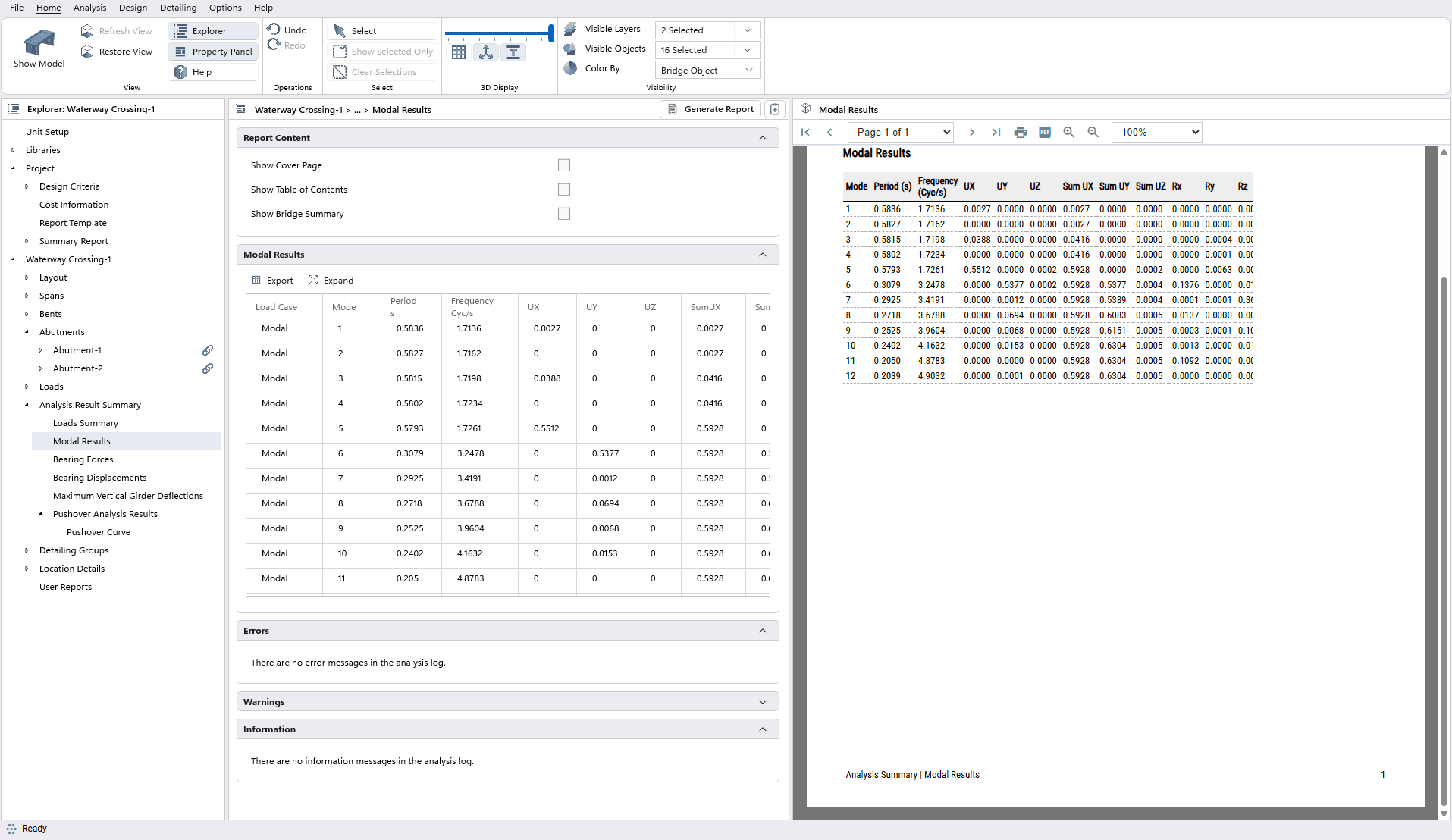
CSiBridge Express After the analysis is complete directs the user to a section that presents the modal results. This section also provides additional information about the analysis process, such as error messages, warnings, and other relevant information.
Bridge Forces
Within this section, users can observe the forces. They have the flexibility to select the desired Load Case/Combo.
Maximum Vertical Girder Deflections
CSiBridge Express enables users to visualize the maximum vertical girder deflections. Users can select the desired Load Case/Combo for viewing and generate reports accordingly. Upon report generation, users are offered the option to export the report as a *.CSV file, providing added flexibility in data management and post-processing.
Pushover Analysis
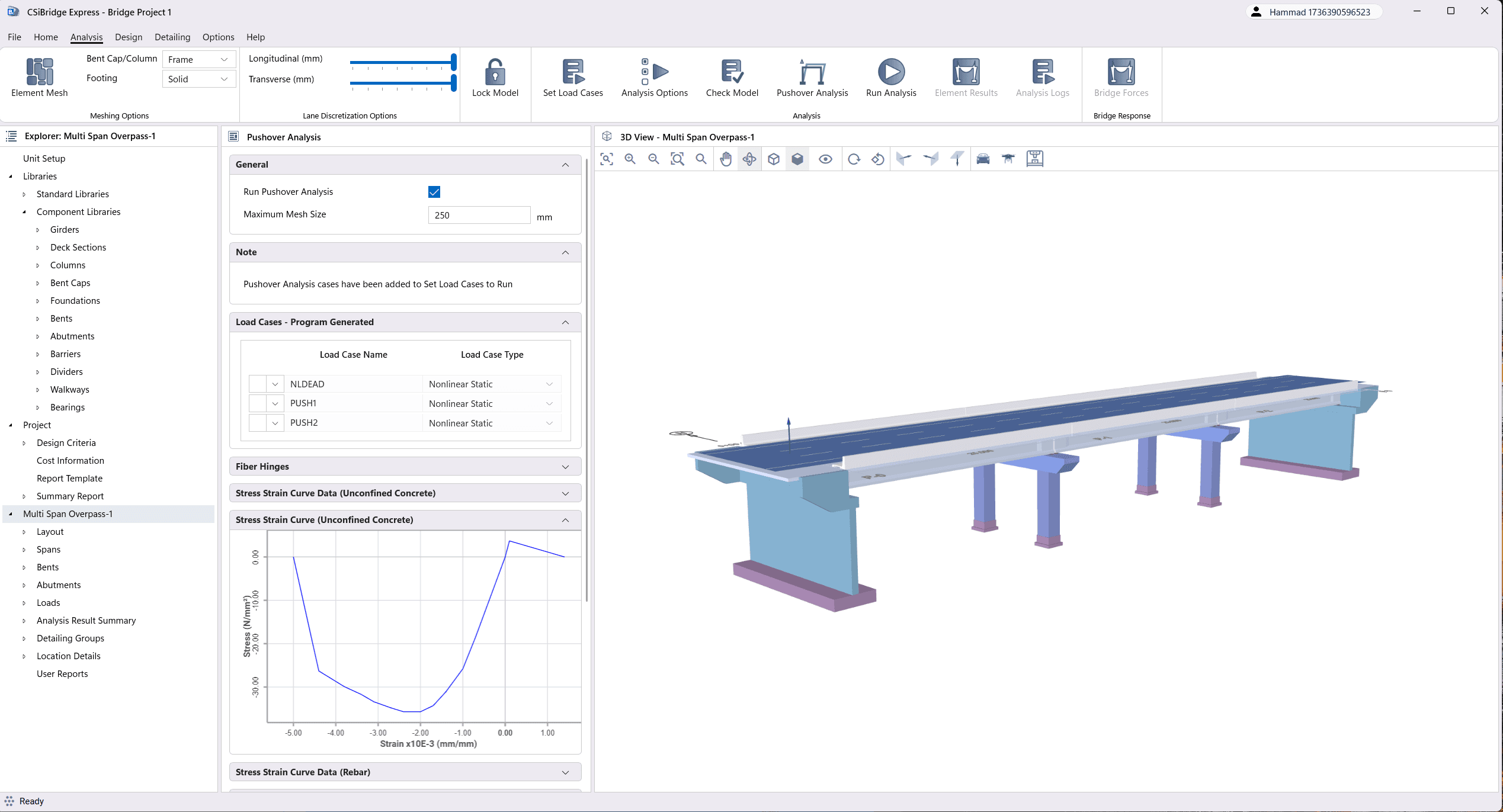
Pushover analysis in CSiBridge Express is available exclusively for Bent Caps/Columns modeled as Frame Elements and Prismatic Columns.Run Pushover Analysis feature in the General section allows users to input the required parameters. The load cases necessary for pushover analysis are automatically generated by the program, but users can adjust settings for Initial State and Geometric Nonlinearity in the General section of each load case. Additional parameters, such as Load Control Type, Degrees of Freedom, and Bent selection, can be configured in the Load Application section. Pushover analysis results can be saved for either the final state only or for multiple states, depending on user preferences in the Results Saved section. Users can also view Fiber Hinge Data and Fiber Sections for each column in the Bent under the Fiber Hinges section.